Beginning with Fall 2027 courses, new Brightspace courses will use the New Content Experience. The current (Classic Experience) will no longer be accessible after the start of the Fall 2027 semester. Instructors can start using the New Content Experience in their courses for Spring and Summer 2027 by opting in to a campus-wide pilot. Additionally, current and old courses can be viewed in the New Content Experience in the Brightspace test site.
If you are interested in participating in the pilot for the Spring 2027 semester, please fill out the linked Google Form. In December, a learning designer will conduct a workshop over Zoom going over the changes in the New Content Experience for all faculty who are participating in the pilot. Other workshops for all faculty will be conducted during the Spring 2027 semester. Even if you do not want to participate in the pilot, we strongly suggest experimenting with the New Content Experience in the Brightspace test site. No changes you make there will be reflected in your current courses.
Please see below a couple of quick overviews of the New Content Experience.
Examples
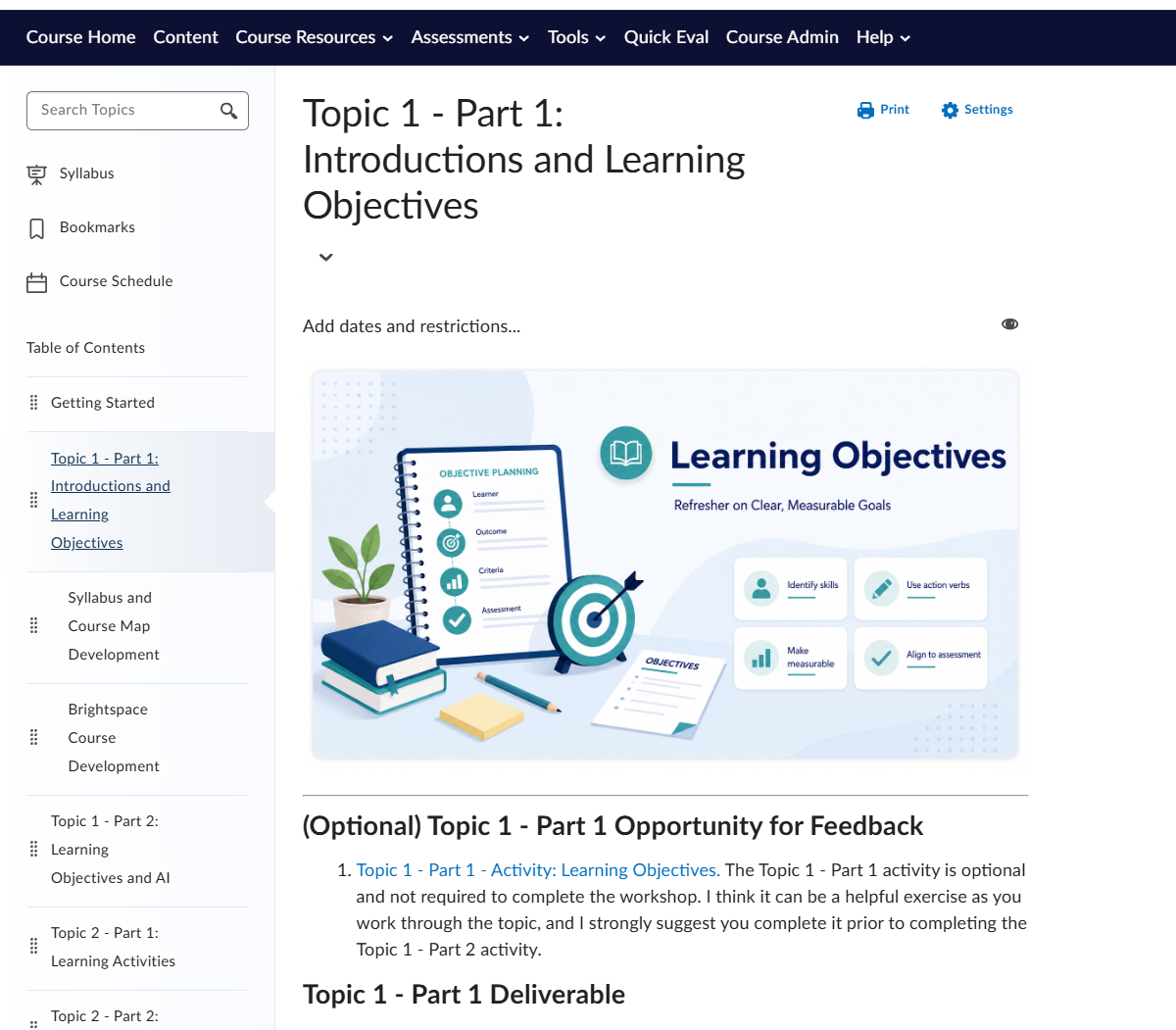
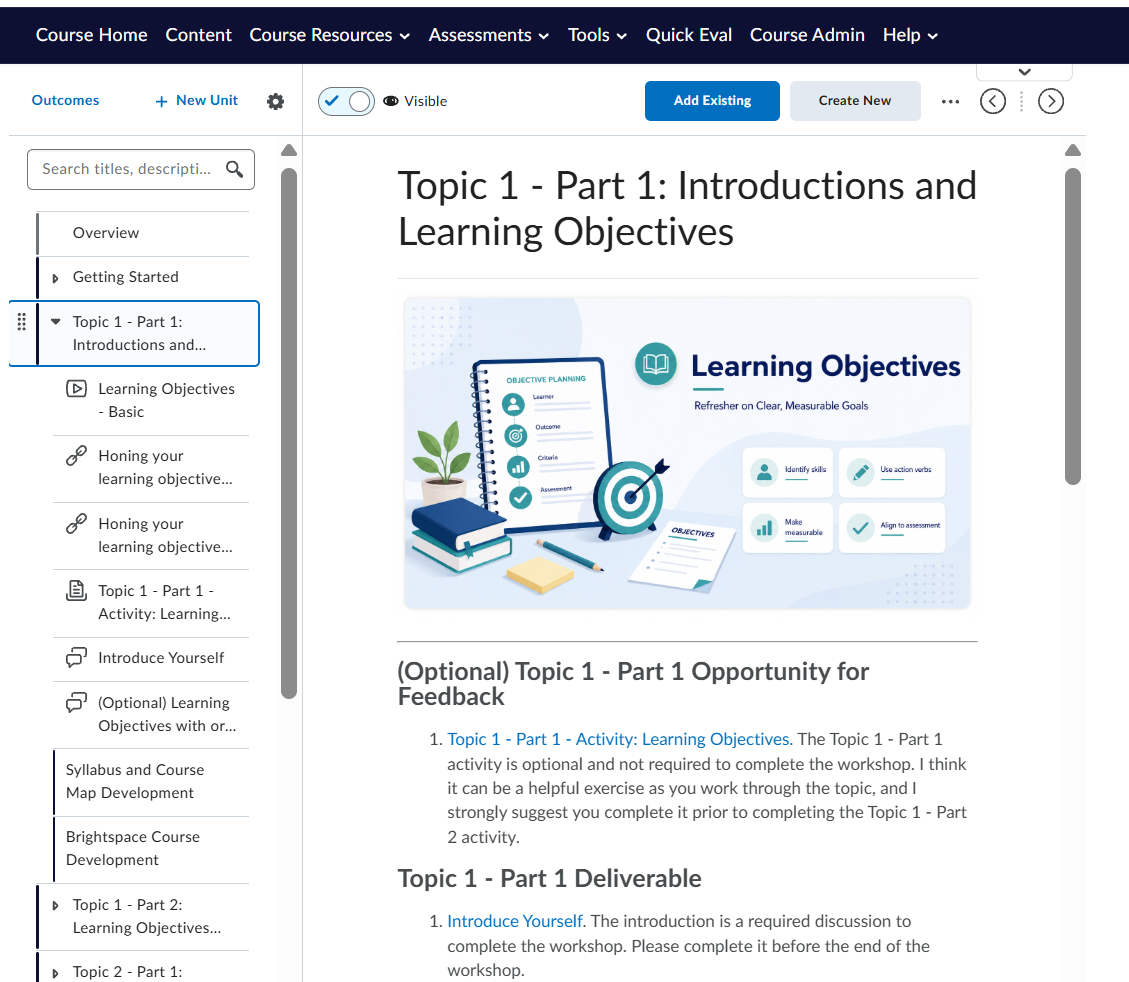
Here are two screenshots comparing the Classic and New Content Experiences.
Classic Content
New Content Experience
What are some of the difference between the Classic and New Content Experience?
Compared to the Classic Content view, the New Content Experience is a more minimalist, clean design focused on pages and a more stylish view of course content. Below are some examples of what makes the new content experience different.
Focus on HTML Pages
The New Content Experience has a focus on creating HTML pages to house course content instead of just acting as a file storage system. This can allow for a more natural flow to course content.
Embedded Activities
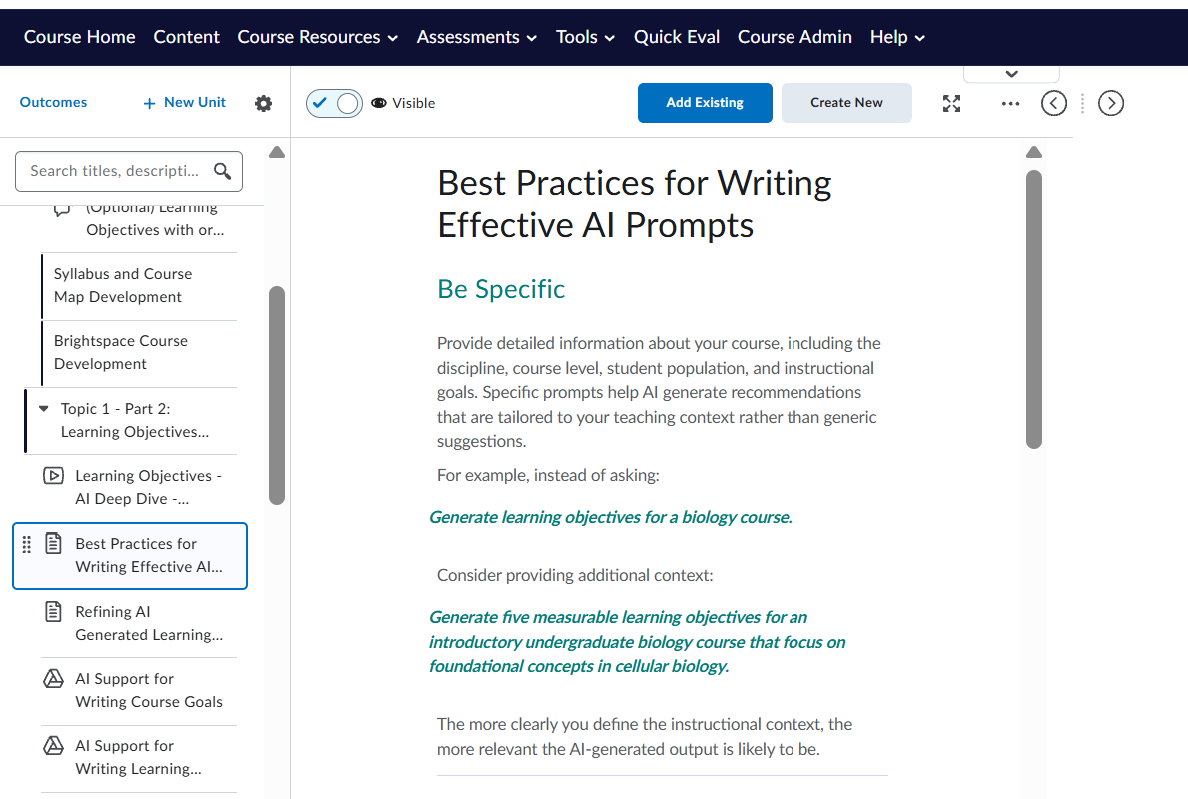
Activities like Assignments and Quizzes that are linked in Content using the New Content Experience now show additional embedded information about the completion and grades for students who have completed. This allows instructors to quickly check the status of their assignments, activities, and quizzes. There is no change for students; the embedded activity will link out to a separate submission page just as it currently does in the Classic Content.
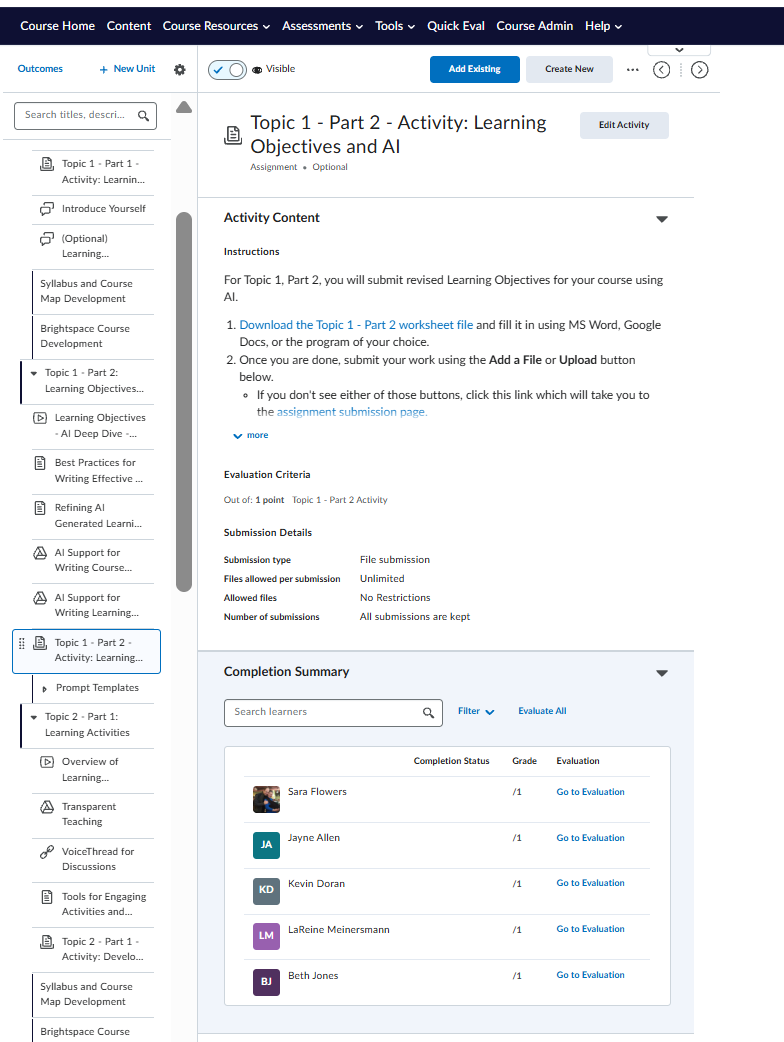
Learning Outcomes
In the New Content Experience, Instructors can set and/or link learning outcomes directly from the content.
Modified Language
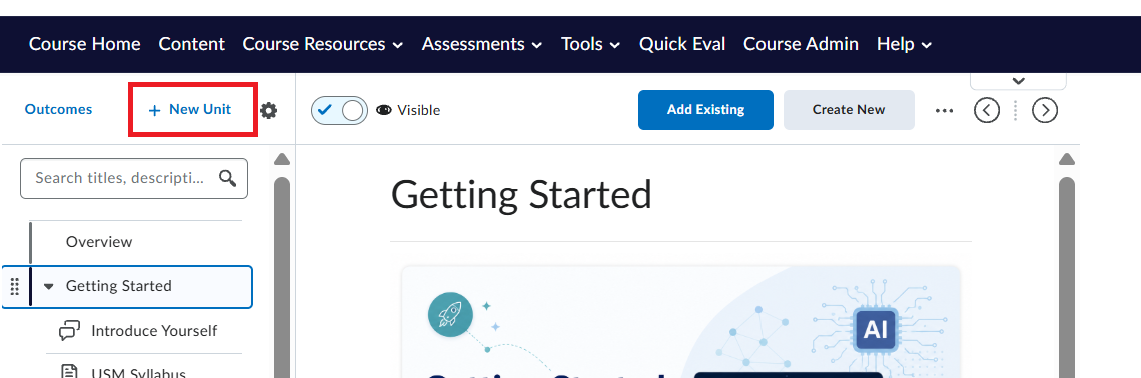
Terminology has been changed in the new content experience. For example, modules are now referred to as units. To create a new module/unit, select “+New Unit” at the top of the content.
Features exclusive to the Classic Content View
There are some content functions that have not been copied into the New Content Experience. Some examples are the:
- Syllabus page
- This can be duplicated by uploading a course syllabus as its own page/file.
- Bookmarks
- Not currently available in New Content Experience
- Course Schedule
- No dedicated page, but users can view the course calendar for upcoming dates and deadlines
- No integrated search option within a document.
- Users can still use the normal “Find on Page” tool available in almost all web browsers.
Additional Content will soon be available to provide more support on how to use the New Content Experience specific to USM; however, in the meantime, please check out the resources available from D2L.
